

Tuesday, 22 November 2011
Character Design: Comparison
I need to make sure that my two characters work OK together - here's an image showing the two character designs side by side. I enlarged the man's head slightly to tie them together better so I'll need to implement that in the model.


Character Design: Boy
Weerawat Mungkung has really kindly helped me finalise the character design for my small boy character. Thanks Weerawat, I love your designs!


Saturday, 29 October 2011
Small Boy - Character Designs
Some sketches for the design of my second character - a small boy. Inspired by work by artists like Seymour, Hammo & Jamie Hewlett.


Wednesday, 19 October 2011

Tuesday, 11 October 2011
z-brush tips
Just got some z-brush questions answered by the very talented Mr Sergio Caires:
q) How do you import a the set of objs that make up a character into z-brush?
a) Import one of the objs (doesn't matter which) then import the rest and add them as subtools. Finally, save the lot as a z-tool
q) Do I need to UV in maya before sculpting in z-brush?
a) No: you can do your z-brush work, export the basic level geometry, then UV it, and when you bring it back into z-brush the higher division sculpting detail will be retained
q) How do you import a the set of objs that make up a character into z-brush?
a) Import one of the objs (doesn't matter which) then import the rest and add them as subtools. Finally, save the lot as a z-tool
q) Do I need to UV in maya before sculpting in z-brush?
a) No: you can do your z-brush work, export the basic level geometry, then UV it, and when you bring it back into z-brush the higher division sculpting detail will be retained
More hair modelling
I've been playing around in z-brush to try to get the hair as I want it. It's been slow progress but I've learnt a lot about various brushes in the process. These shapes were made using displace then slide then (most importantly) polish. Not perfect, but definitely getting closer:


Tuesday, 4 October 2011

Wednesday, 28 September 2011
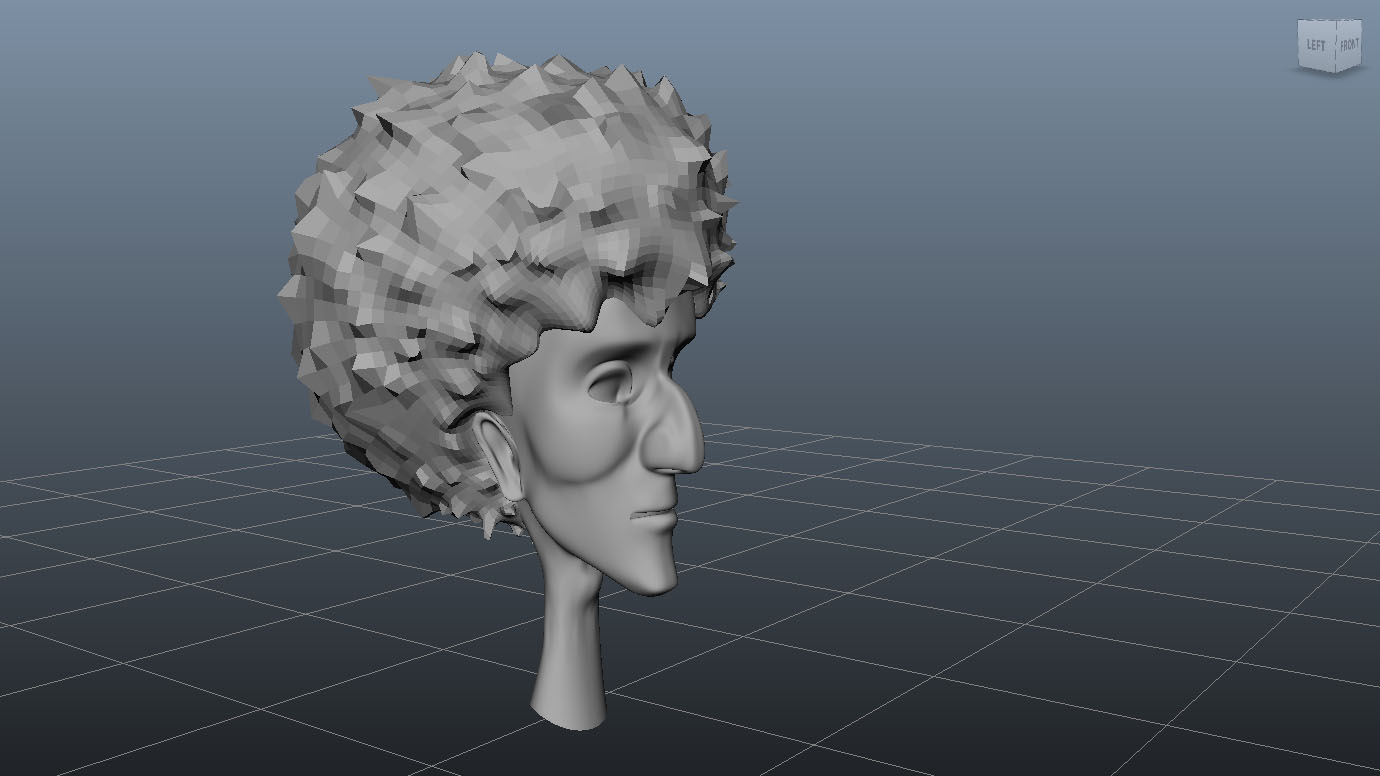
Stylised hair
This is fractionally closer to what I'm aiming for but only when the model's not smoothed - time for another test.

Tuesday, 27 September 2011
Hair Test
A first tryout of the snake hook tool in zbrush to sculpt stylised hair. Not really what I'm aiming for! Time to try a different approach.


Monday, 26 September 2011
Duplicate Special!
Just figured out a really useful option in maya :)
I'd got used to using the sculpting symetry function in zbrush whereby any changes I make get applied to both sides of the model.
So in maya I found the "duplicate special" option in the edit menu and hey presto my changes get applied symmetrically. Hooray!
I'd got used to using the sculpting symetry function in zbrush whereby any changes I make get applied to both sides of the model.
So in maya I found the "duplicate special" option in the edit menu and hey presto my changes get applied symmetrically. Hooray!
Subscribe to:
Posts (Atom)